Video, YouTube subtitles & full-page translation
Live captions for video, and translation of an entire web page.
Steps
- 1
Open a video & press Start
Open a video on YouTube, Vimeo, TED, Udemy or any site with video. Click the floating extension icon, then press Start to turn on live captions.
You will see: the panel opens next to the video and captions start appearing after 1–2 seconds.
- 2
Caption overlay on the video
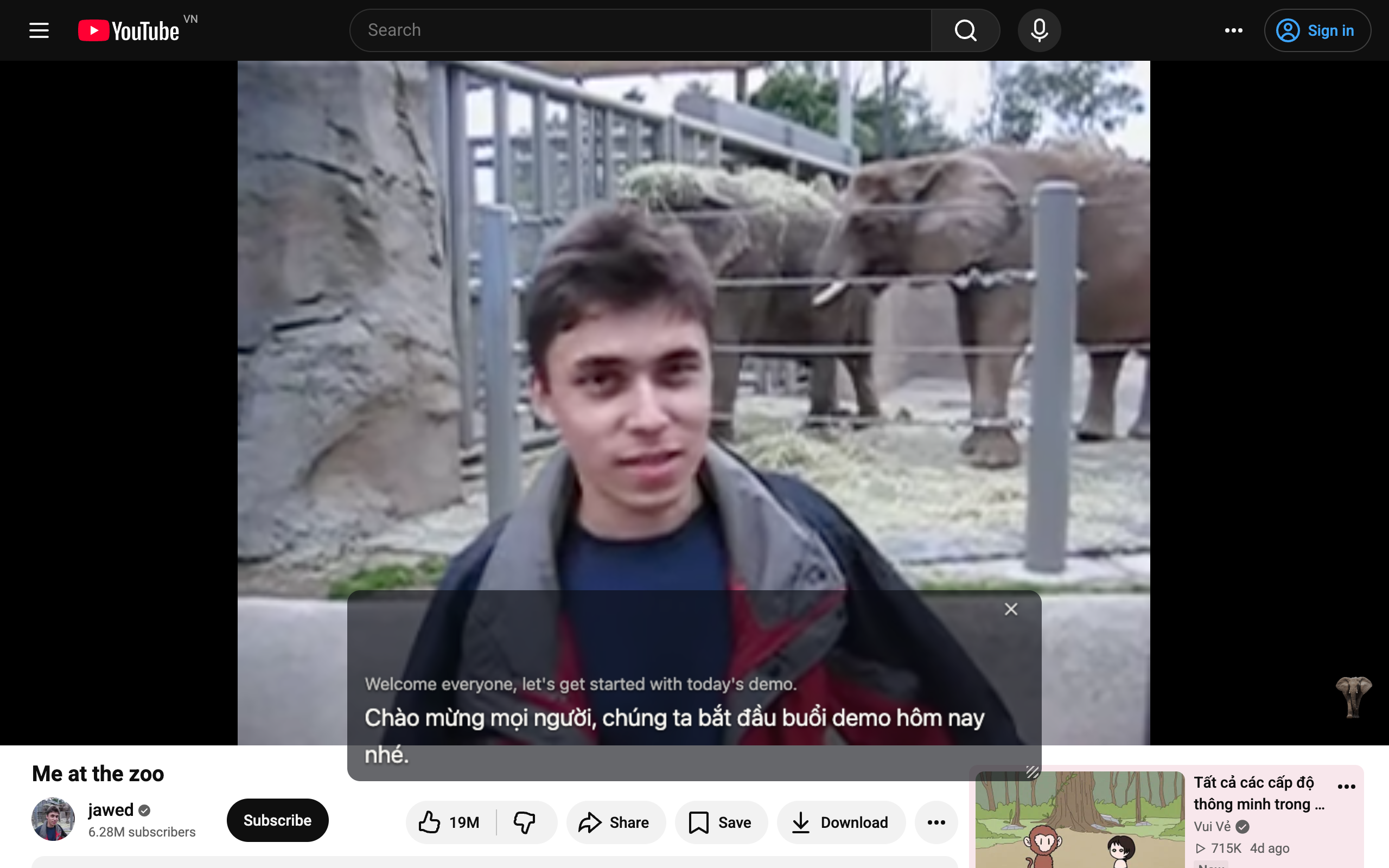
Captions appear as a clean overlay right on the video frame — drag it to the spot you like, and resize it as needed.
You will see: a semi-transparent caption strip under the video frame that you can move with the mouse.
- 3
Translate the whole page
Landed on a page that is entirely in a foreign language? Right-click anywhere on the page and choose "Translate this page" — all of its text is translated in place.
You will see: a AI Live Translator translate-page entry in the right-click menu; the text gradually switches to Vietnamese within a few seconds.


1 / 3