Meeting translation (Zoom · Meet · Teams)
Turn on live Vietnamese captions inside a video meeting.
Steps
- 1
Open your meeting & press Start
Join your room on Zoom, Google Meet or Microsoft Teams. Click the floating extension icon at the right edge to open the panel, then press Start.
You will see: the glass panel opens on the right and Start turns into Stop — the session is live.
- 2
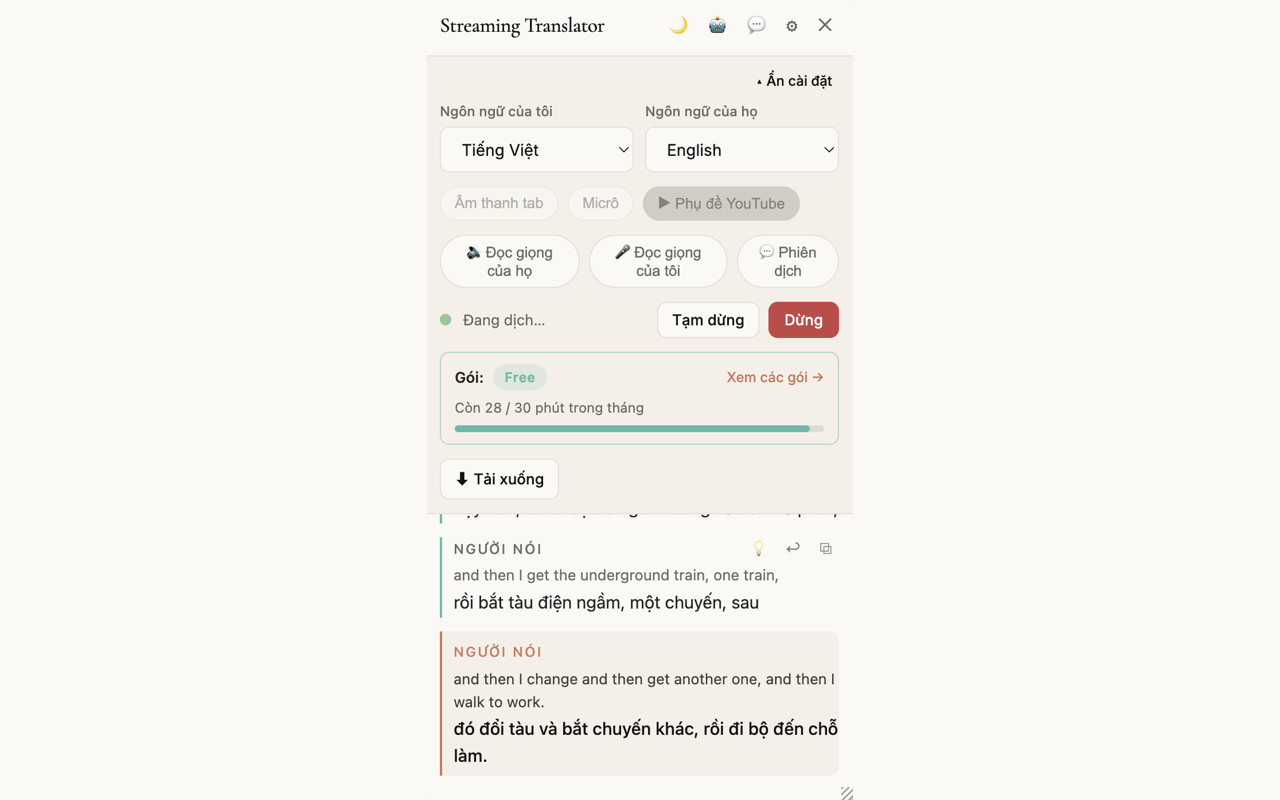
Pick the translation direction
By default the extension translates the foreign language into Vietnamese. Need your own speech translated for the other side too? Turn on two-way translation in the panel (if your plan supports it).
You will see: two language boxes, source → target, right at the top of the panel; swap them with one tap.
- 3
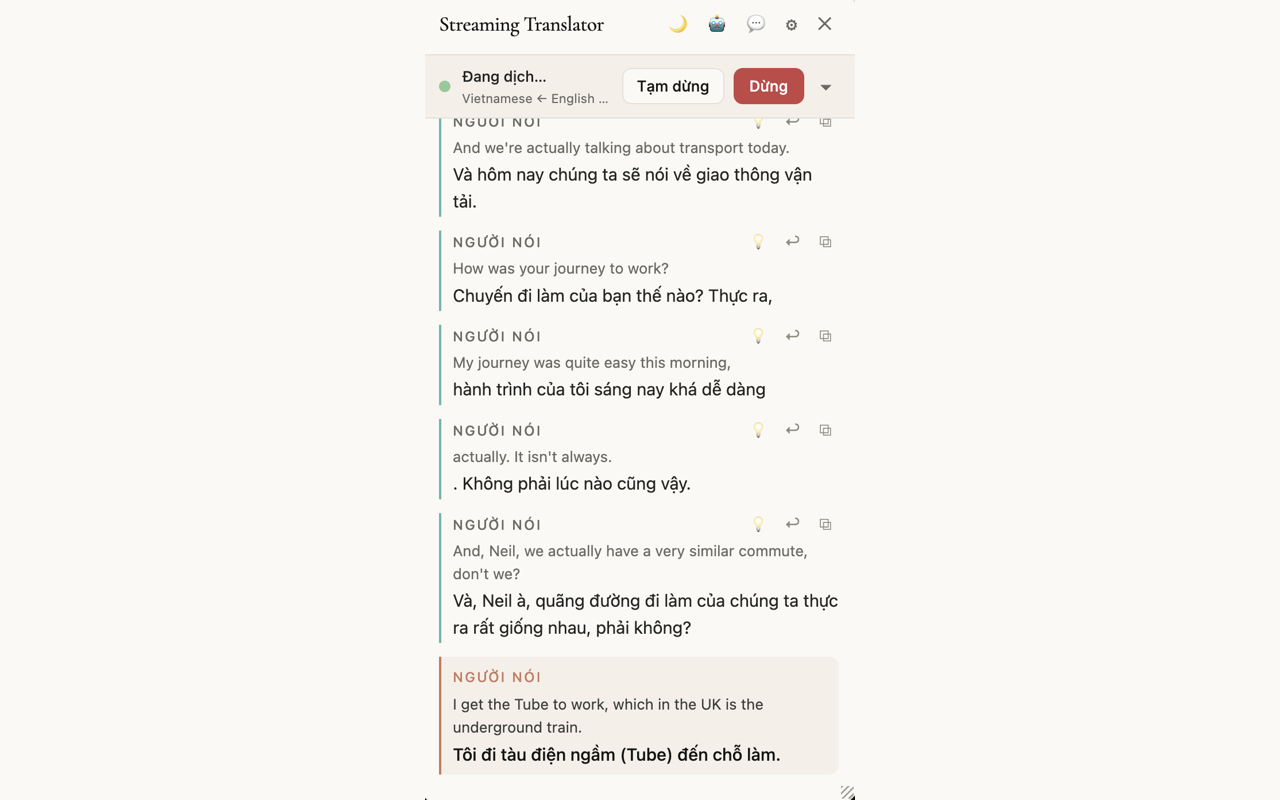
Read the live captions
Captions appear the instant the other person speaks, with the current sentence updating in real time. Want to listen while you watch? Turn on narration in the panel.
You will see: a running transcript, with the newest line shown bolder at the bottom of the list.


1 / 3